See which AI crawlers read your site
Agent Analytics shows which AI bots — GPTBot, ClaudeBot, PerplexityBot, Googlebot and more — visit your pages, which pages they read, how often, and whether the visit worked. It's the top of the AEO funnel: proof the AI engines are actually seeing your content.
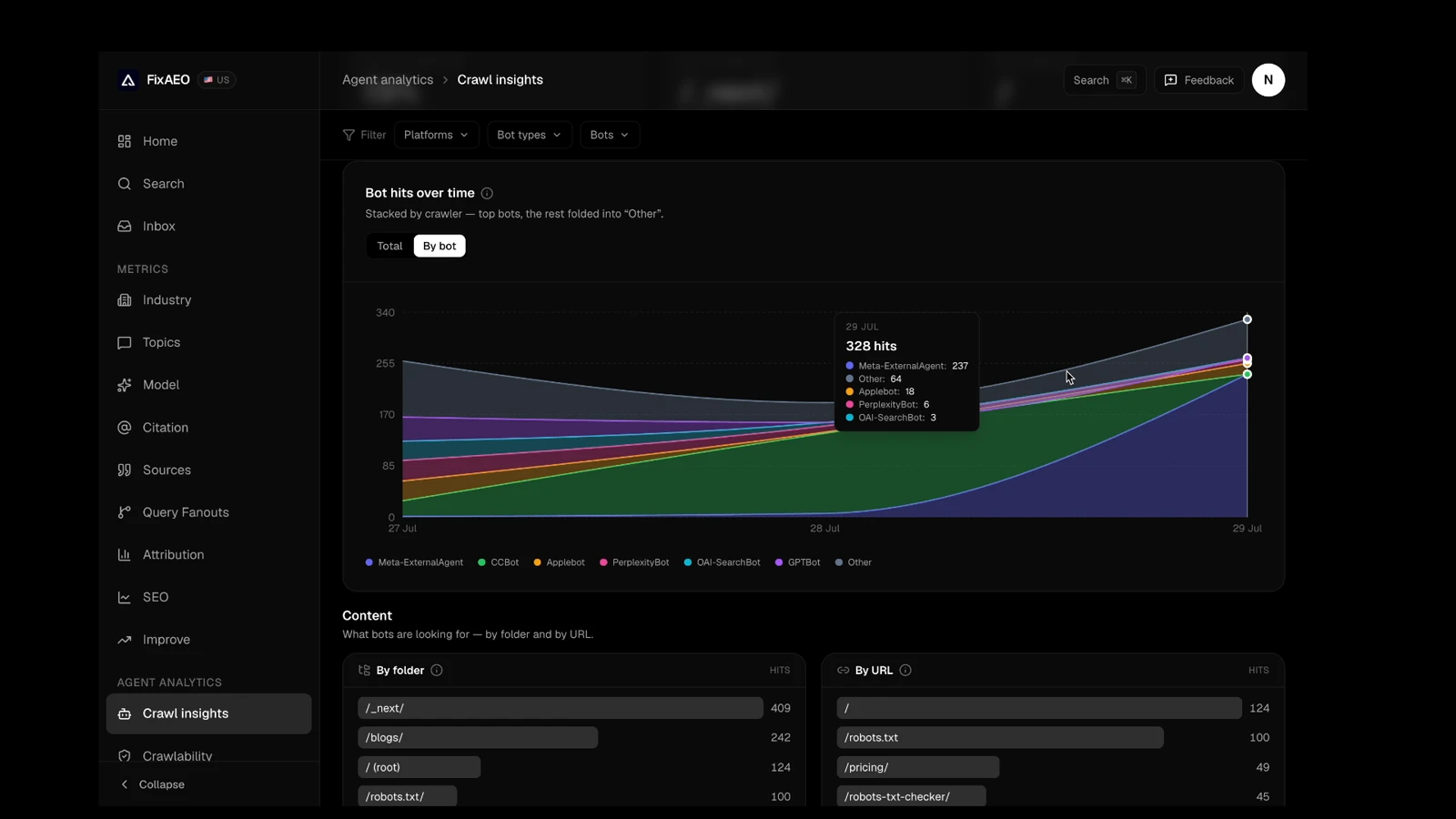
A real Agent Analytics dashboard — not a mockup. Every band is a named bot, and hovering any day breaks the total down by exactly who showed up.
Crawl comes before citation
Getting named in AI answers is a funnel. An engine has to crawl your pages, then decide to cite them, before your brand ever shows up in a reply. Most tools start at the citation. Agent Analytics starts one step earlier — so when you're not being mentioned, you can tell whether it's because the engines aren't reading you at all.
Crawl
AI crawlers fetch your pages. Agent Analytics shows exactly which bots arrive, and which pages they read.
Cite
Engines pick sources to quote. FixAEO tracks who gets cited across up to 9 AI engines.
Get recommended
Your brand shows up in the answer. Your Visibility Score tracks how often — and against competitors.
What Agent Analytics shows you
Everything you need to answer one question with confidence: are the AI engines seeing my content?
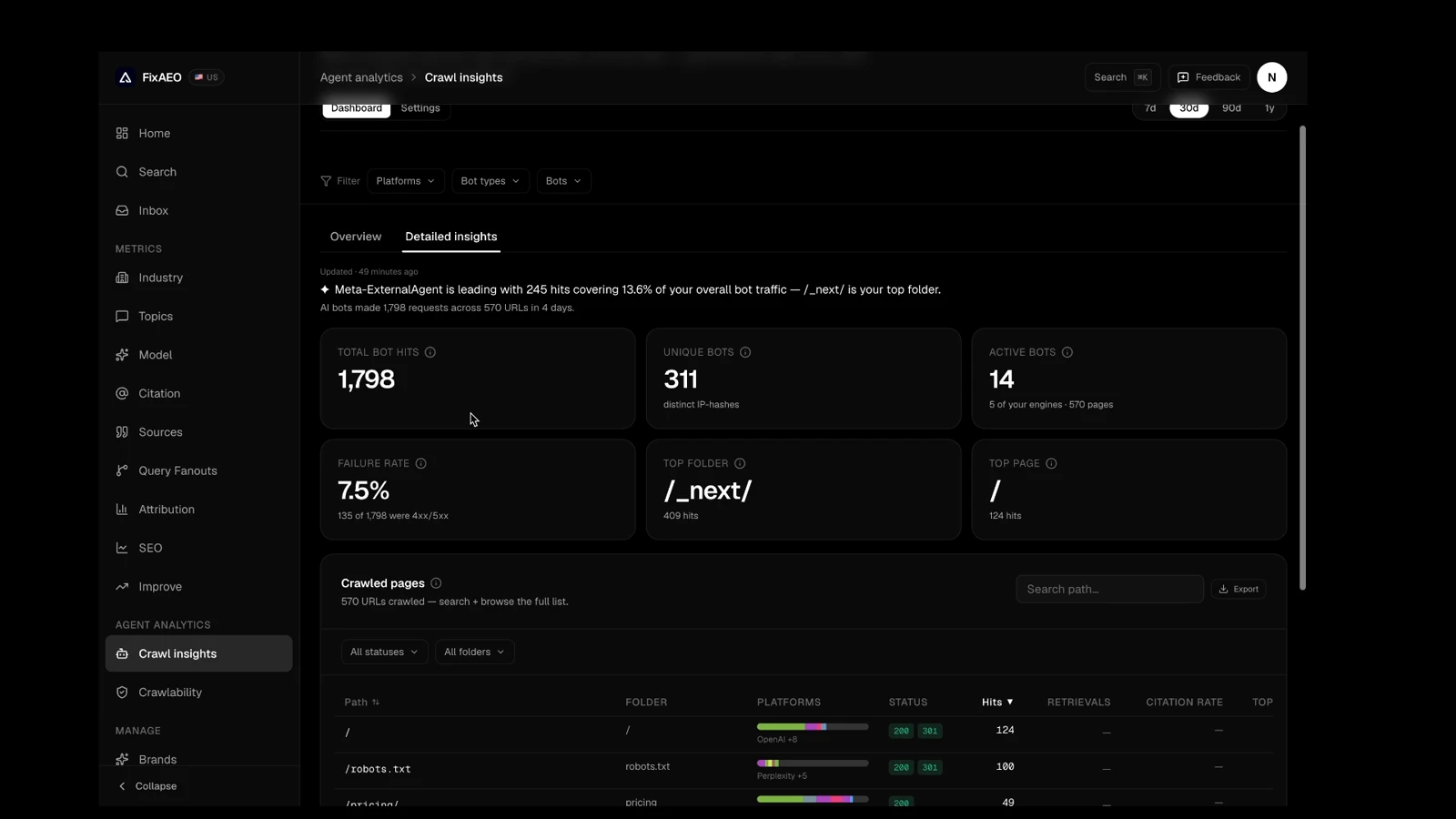
Which AI bots visit you
GPTBot, ClaudeBot, PerplexityBot, Googlebot, Bingbot and ~50 more — named and grouped, so you know exactly which AI engines are reading your site.
The pages they read
See the full list of pages AI crawlers actually fetch — search it, sort it, and spot the ones they never reach.
How often, over time
A visit trend for every bot, so you can see crawl activity pick up after you publish, ship schema, or fix your robots.txt.
Whether the visit succeeded
Status at a glance and a failure rate, so a page that quietly returns errors to crawlers doesn't stay invisible.
Broken down your way
Slice the traffic by bot, engine, vendor, page folder or country to find where AI attention is landing — and where it isn't.
Who's allowed to crawl you
A clear read on which AI crawlers your site permits, so the ones you want reading you aren't blocked by accident.
On every paid plan
Start light on Lite, or get the complete picture on Growth and Enterprise.
Lite
Lightweight tagSee AI-driven traffic and AI browsing agents on your pages with a lightweight page tag — a zero-setup way to start.
Growth
Server-sideFuller server-side capture of every AI crawler hitting your site — including the training bots a page tag can't see.
Enterprise
Server-sideThe same complete server-side capture, across more brands and with priority support.
Frequently asked questions
What is Agent Analytics?
Why does it matter which AI crawlers visit my site?
How is this different from checking my robots.txt?
Which plans include Agent Analytics?
Is this the same as AI referral traffic in GA4?
Do I need to add anything to my site?
See who's really reading your site
Stop guessing whether the AI engines can see you. Start a trial and watch the crawlers arrive.
Related: AI Visibility Checker, robots.txt checker, and a full guide to AI crawler analytics.