Check any brand’s AI visibility in one click.
See how visible any brand is in Google Gemini’s answers — Answer Engine Optimization (AEO) straight from your toolbar. No signup, no API key, no credit card. See how to check any brand’s AI visibility in one click.
Works on any website · Free forever · Privacy-first · Setup guide
An AEO Chrome extension for the whole AI-visibility picture.
Ahrefs and SEMrush score you on Google’s blue links. They don’t tell you whether AI recommends you. This does.
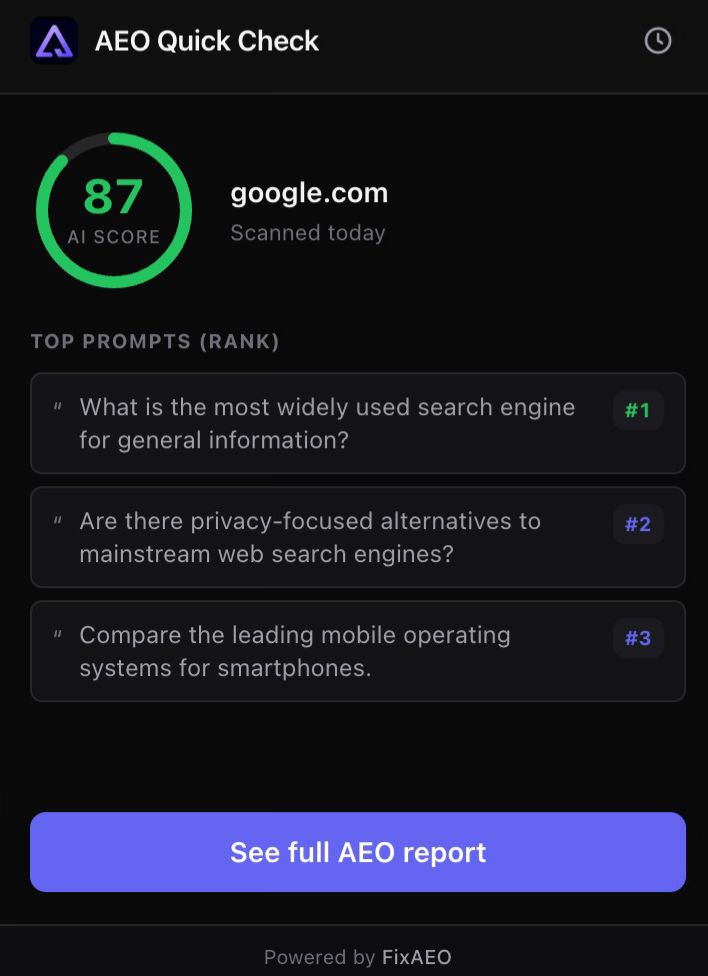
An AI visibility checker, scored 0–100
See how visible any brand is to AI in a single number — powered by Google Gemini, right in the popup.
The prompts that matter
See the top buyer-intent prompts where the brand already shows up — the questions your customers actually ask AI.
Check anyone, instantly
Your brand, a competitor, or a prospect. Already-scanned brands load instantly; new sites get a free scan in one click.
How it works
No setup, no dashboard to learn. Three steps from install to answer.
Click the icon on any site
Open any website and click AEO Quick Check in your Chrome toolbar.
See the AI visibility score
A 0–100 score for that brand, plus the prompts where it appears. Free, no signup.
Go deeper, free
Open the full AEO report — or run a free scan on a brand we haven't seen yet.
What’s free, what’s paid
The extension is genuinely free. Here’s exactly where the free check ends and the full dashboard begins.
Free — the extension
- One-click checks on any site
- A 0–100 AI visibility score, powered by Google Gemini
- The top prompts where a brand shows up
- No signup, no API key, no credit card
Paid — the FixAEO dashboard
- All 9 AI engines: ChatGPT, Claude, Gemini, Perplexity, DeepSeek, Grok, Copilot, AI Overviews, AI Mode
- Daily tracking and trend charts
- Competitor leaderboards and the sources AI cites
- Alerts, exports, and GA4 attribution
- Agent Analytics — see which AI crawlers visit your site (GPTBot, ClaudeBot, PerplexityBot and ~50 more) and what they read
Privacy-first by design
Reads the current tab’s domain only when you click. Your last 5 checks stay on your device. No tracking, no content scripts, no background activity.
Read the privacy policyFrequently asked questions
What it checks, what it costs, and what data it touches.
Is the extension free?
What does it actually check?
Which AI engines does it use?
What data does the extension access?
Can I use it on my competitors or my clients' sites?
How is the score calculated?
See where any brand stands with AI.
Add AEO Quick Check to Chrome and run your first check in one click. It’s free.
Add to Chrome — Free